True peace of mind comes not from watching your parent, but from co-creating a system of trust that uses technology to support their independence.
- Open dialogue and written privacy agreements must precede the installation of any monitoring device.
- Intelligent alert systems, privacy-focused tech, and professional respite care can prevent burnout while respecting personal boundaries.
Recommendation: Approach monitoring as a collaborative project to enhance their quality of life, not as a tool to control their safety.
The constant, low-grade hum of worry is a familiar feeling for any adult child with an aging parent living far away. Every unanswered phone call can spark a wave of anxiety. You want to ensure they are safe, but the thought of installing cameras or sensors feels like a profound invasion of their privacy—a line you’re hesitant to cross. This is the central conflict: your need for peace of mind versus their right to dignity and autonomy.
Many guides jump straight to recommending devices—smart cameras, fall detection pendants, motion sensors. While these tools have their place, they are only one piece of a much larger, more delicate puzzle. Simply installing technology without a foundation of trust can damage your relationship, making your parent feel watched rather than cared for. It can turn their home, their sanctuary, into a place where they feel constantly observed.
But what if the solution isn’t about choosing the right device, but about building the right agreement? This guide proposes a different approach, one rooted in empathy and communication. We will explore how to reframe monitoring technology not as a surveillance tool, but as a bridge for connection. The goal is to move from a dynamic of anxiety and control to one of collaboration and mutual respect. This is about creating a system that provides you with reassurance while empowering your parent to live with what we call dignified independence.
Together, we will walk through the essential conversations, the technology that respects privacy, and the strategies for building a support network that brings peace of mind to everyone involved. This is how you care from a distance without being intrusive.
Summary: A Guide to Monitoring with Respect and Empathy
- Why Discussing Cameras Before Installation Preserves Trust?
- How to Configure Notifications to Avoid False Alarm Burnout?
- Group Apps vs Group Texts: Which Organizes Care Teams Better?
- The Risk of “Sundowning”: Monitoring Sleep Without Waking Them
- When to Trust the Sensor Data Over the Senior’s “I’m Fine”?
- Why Hiring Help for 4 Hours a Week Prevents Caregiver Burnout?
- The Risk of Data Leaks: Securing Cameras and Microphones
- How to Choose a Medical Alert System That Works Outside the Home?
Why Discussing Cameras Before Installation Preserves Trust?
The impulse to install a camera for “a quick check-in” is understandable, but it’s a step that can irrevocably break trust if handled poorly. Placing a monitoring device in someone’s home without their explicit, enthusiastic consent is not a safety measure; it’s surveillance. It sends a message that you no longer trust their judgment or ability to manage their own life. The conversation before the technology is not just a courtesy—it is the very foundation upon which a successful and respectful monitoring arrangement is built.
The key is to frame the discussion around shared goals: their desire to remain independent in their own home and your desire to worry less. This isn’t about you watching them; it’s about you both agreeing on a tool that helps maintain their autonomy. To make this conversation productive, you must approach it as a partnership. A great way to formalize this is by creating a “Collaborative Safety Pact,” a written agreement detailing what will be monitored, when, and by whom. This transforms an abstract fear into a concrete, manageable plan.
To build this pact, consider a structured approach:
- Start with an open dialogue about safety concerns, not about specific devices. Ask them what, if anything, worries them.
- Explain the technology as a tool for independence, a safety net that allows them to continue living on their terms.
- Co-create a written Family Privacy Pact, detailing which areas are on-limits (e.g., the front door) and which are strictly off-limits (e.g., bedroom, bathroom).
- Propose a trial period with the least intrusive device first, such as a motion sensor near the front door instead of a camera in the living room.
- Schedule regular check-ins to discuss their comfort level and be prepared to make adjustments based on their feedback.
Some modern systems are designed with this principle in mind. For example, the AUGi system used in some senior communities intentionally blurs videos to respect residents’ privacy and identity. This demonstrates a powerful principle: technology can and should be designed to provide data with dignity, ensuring safety without sacrificing personal privacy. The goal is an agreement, not just an installation.
How to Configure Notifications to Avoid False Alarm Burnout?
Once a monitoring system is in place, a new challenge emerges: the constant stream of notifications. If every opened door or late-night trip to the kitchen triggers an alert on your phone, you’ll quickly suffer from “alert burnout.” This is a state of emotional and mental exhaustion where you either become hyper-anxious about every ping or, conversely, so desensitized that you risk missing a genuine emergency. An effective system isn’t one that tells you everything; it’s one that tells you the right things at the right time.
The solution lies in creating a balanced “alert ecology” through careful configuration. Most modern systems allow you to set tiered alerts, differentiating between informational updates, soft warnings, and hard emergencies. This approach allows you to stay informed without being overwhelmed. Instead of a single, blaring alarm for all events, you create a nuanced system that matches the notification method to the severity of the event. This prevents the technology from becoming another source of stress for you and an annoyance for your parent.
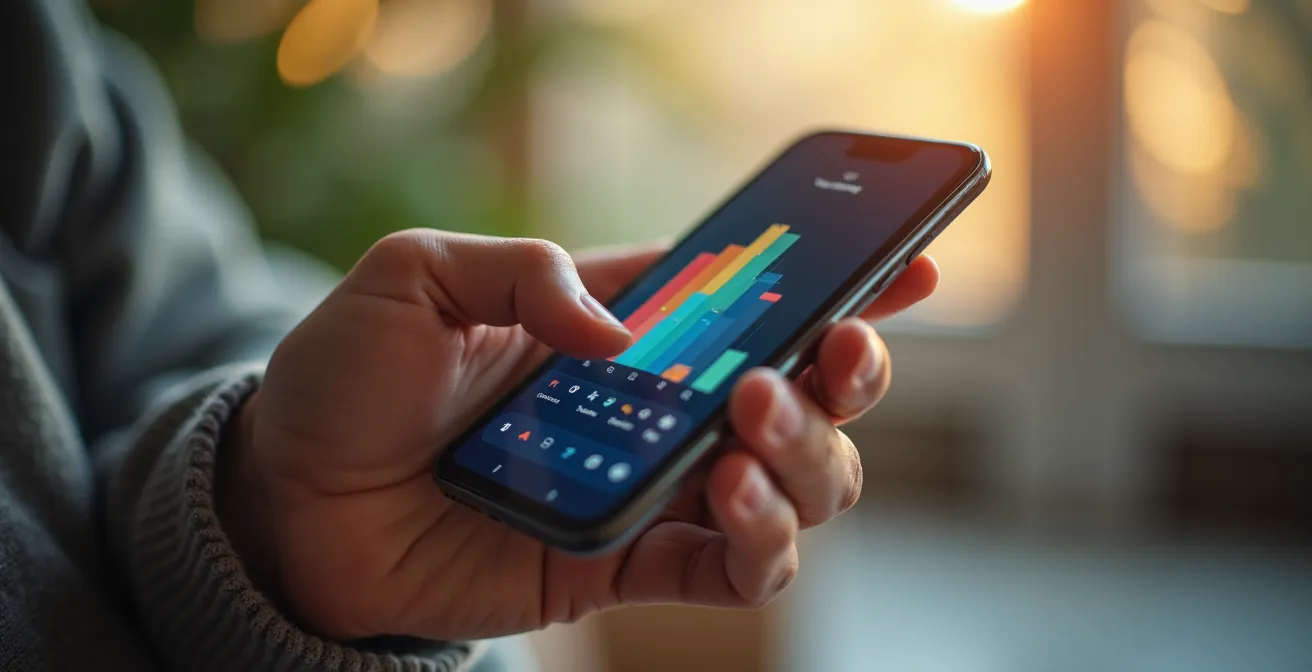
A well-designed tiered system respects everyone’s time and emotional energy. It acknowledges that not all data is created equal. A daily summary report can confirm that daily routines are normal, while an immediate phone call is reserved for a true crisis like a fall. This intelligent filtering is crucial for long-term sustainability. Without it, the very tool meant to bring peace of mind becomes a catalyst for anxiety.
To build this system, you need to think like an editor, not just a receiver of information. A tiered alert configuration can help you distinguish signal from noise.
| Alert Tier | Type of Event | Notification Method | Response Required |
|---|---|---|---|
| Tier 1: Information Only | Normal daily activities (door opened during day) | Daily summary report | No immediate action |
| Tier 2: Soft Alert | Unusual patterns (extended inactivity) | Push notification | Non-urgent check-in |
| Tier 3: Hard Alert | Emergency events (fall detection, panic button) | Phone call + text | Immediate action |
Group Apps vs Group Texts: Which Organizes Care Teams Better?
Once you have meaningful alerts, the next question is how to share that information. When a “soft alert” for unusual inactivity comes through, who is responsible for the check-in call? If multiple family members, friends, or professional caregivers are involved, a simple group text can quickly devolve into chaos. Missed messages, duplicate calls, and confusion over who did what can create more stress than they solve. A disorganized care team is an ineffective one.
While group texts are immediate, they lack structure. Important information gets buried in conversations, and there’s no easy way to track tasks or schedules. This is where dedicated care coordination apps shine. These apps function as a central hub for the care team, offering features that a simple text message can’t match. They often include a shared calendar for appointments, a log for daily updates (“Mom seemed tired today”), a place for important documents, and task lists to ensure nothing falls through the cracks. This structure ensures that communication is purposeful and organized.
For example, if a motion sensor detects no movement in the kitchen by 10 a.m., a care app can post an alert to the group. A family member can then claim the task “Call Mom to check in,” making it clear to everyone else that the situation is being handled. This prevents your parent from receiving three worried phone calls in five minutes. These platforms are designed to streamline the logistics of care, turning a loose group of concerned individuals into a cohesive and efficient team. They provide a single source of truth that is accessible to everyone, reducing miscommunication and ensuring accountability.
Ultimately, the choice depends on the size and complexity of your care team. For a simple setup with one or two primary caregivers, a disciplined group text might suffice. But for a larger team juggling appointments, medications, and daily check-ins, a dedicated app is an invaluable tool for transforming chaotic communication into organized collaboration.
The Risk of “Sundowning”: Monitoring Sleep Without Waking Them
For many families dealing with cognitive decline or dementia, late afternoon and evening can be the most challenging time of day. This phenomenon, often called “sundowning,” can involve increased confusion, agitation, and restlessness as daylight fades. This naturally leads to concerns about nighttime safety: Is your parent sleeping well? Are they wandering? The desire to monitor them during these vulnerable hours is strong, but the risk of disturbing their crucial sleep is equally high.
This is where the principle of non-intrusive monitoring becomes paramount. Cameras in the bedroom are almost universally considered a breach of privacy and can disrupt sleep. Instead, the focus should shift to ambient, invisible technologies that gather data without any sensory input. Under-mattress sleep sensors, for example, can track heart rate, respiratory rate, and movement throughout the night to build a picture of sleep quality and restlessness without a single camera or light.

Similarly, discreet motion sensors placed low on the wall can alert you if a parent gets out of bed and doesn’t return within a set period, or if they enter a potentially unsafe area like the kitchen. Smart lighting can be programmed to provide a dim, warm pathway to the bathroom, reducing the risk of falls without jarring them fully awake. The goal is to create a “smart” environment that acts as a quiet guardian, observing patterns rather than moments. This approach respects the sanctity of their personal space, especially the bedroom, and allows them to rest as comfortably as possible.
By focusing on these passive monitoring tools, you can gain valuable insights into their nighttime well-being and be alerted to genuine risks, all while preserving their dignity and allowing them the restorative sleep they need. It is the ultimate expression of caring from a distance—being present without being a presence.
When to Trust the Sensor Data Over the Senior’s “I’m Fine”?
One of the most difficult moments in remote caregiving arrives when technology and your parent tell you two different stories. The fall detection pendant sends an alert, but when you call, your mother insists, “I’m fine, I just dropped it.” The sensor shows the front door opened at 2 a.m., but your father says he was asleep all night. Who do you believe? This conflict pits your trust in the technology against your trust in your parent, creating a delicate and emotionally charged situation.
There is no simple answer. The “I’m fine” response is often rooted in a powerful desire to maintain independence, avoid being a burden, or hide a decline they are not ready to face. Ignoring this response can feel dismissive and disrespectful. However, ignoring clear data from a reliable sensor could have serious consequences. The key is to treat the data not as an accusation, but as a conversation starter. Your role as a family mediator is crucial here: approach the discrepancy with curiosity, not confrontation.
Instead of saying, “The sensor says you fell,” try, “The pendant sent an alert, and I just wanted to check in. How are you feeling?” This opens the door for a more honest conversation. It’s also vital to understand the context and limitations of your technology. False alarms happen. But a pattern of alerts, combined with other observations, may paint a picture that requires a more direct conversation or an in-person visit. This is where the synthesis of technology and human intuition is essential. The data provides a clue, not a conclusion. Your relationship and judgment provide the context.
As one expert wisely points out, the technology itself is often just a sign of a deeper need. In a report from Justice in Aging, gerontologist Dr. Clara Berridge offers a profound perspective:
Cameras are a symptom, not a solution. The fundamental ethical question may not be whether to install cameras, but rather: How do we create a care system where safety and dignity naturally coexist?
– Dr. Clara Berridge, Gerontologist, quoted in Justice in Aging report
This forces us to see sensor data as a prompt to engage more deeply, to understand the “why” behind the “what,” and to build a system of care that addresses the root issue, not just the alert.
Why Hiring Help for 4 Hours a Week Prevents Caregiver Burnout?
Even the most advanced monitoring technology has its limits. It can tell you what is happening, but it cannot make a meal, provide companionship, or assess a situation with human nuance. Relying solely on technology can lead to a different kind of burnout for the remote caregiver—the exhaustion of being the sole responder to every alert and concern. Introducing just a few hours of professional in-home help each week is not a sign of failure; it’s a strategic move that makes the entire system more resilient and sustainable.
This professional caregiver acts as a “human sensor,” providing a layer of qualitative insight that technology cannot. They can validate or question automated alerts, offering on-the-ground context. If a sensor notes a lack of activity, the caregiver can report that your parent is simply engrossed in a book, not unwell. This human element provides crucial context that can prevent unnecessary anxiety and frantic phone calls. It’s the perfect synergy of high-tech and high-touch care.
The “Human Sensor” Approach to Respite Care
In-home care services like those from Right at Home function on this principle. Their caregivers are trained to observe routines, patterns, and behaviors. As their team notes, when anything amiss in terms of routines prompts an alert, professional caregivers can take action if warranted. A professional spending just four hours a week can provide this vital context, confirming that an alert is a real concern or just a deviation from the norm. This not only improves the accuracy of the monitoring system but also provides an essential mental health break for the primary family caregiver.
These four hours are a powerful form of respite care for you. Knowing that a trusted professional is checking in provides a profound sense of relief, allowing you to step back from being on high alert 24/7. This break is critical for preventing the emotional and physical exhaustion that so many long-distance caregivers experience. It allows you to shift your role from constant monitor to a more relaxed, engaged family member during your own check-in calls. It’s a small investment in time that pays huge dividends in sustainability and peace of mind.
The Risk of Data Leaks: Securing Cameras and Microphones
In our connected world, any device that captures video or audio is a potential target for data breaches. For a senior living alone, the thought of a private moment being exposed online is a deeply frightening prospect. As a family caregiver, ensuring the monitoring system you choose is secure is not just a technical detail—it is an ethical obligation. A system that compromises your parent’s privacy is worse than no system at all.
The security of a monitoring system depends on several factors, from how data is encrypted to who can access it. Basic systems may offer simple password protection, but this is often not enough. You should look for systems that provide robust, multi-layered security. This includes strong end-to-end encryption (like 256-bit AES), which scrambles the data so it’s unreadable if intercepted, and two-factor authentication (2FA), which requires a second verification step (like a code sent to your phone) to log in. These features make it significantly harder for unauthorized individuals to gain access.
Furthermore, the most privacy-conscious systems are redesigning how they handle data. Instead of streaming and storing full video, some advanced AI systems process video locally and convert the person into an anonymized avatar or stick figure. This allows the system to detect a fall or unusual behavior without ever storing or transmitting identifiable video, offering the highest level of privacy.
Choosing a secure system is a critical part of upholding your “Collaborative Safety Pact.” You are not only a caregiver but also a guardian of your parent’s digital life. Researching and selecting a system with a proven commitment to data security is essential for maintaining trust. The following table highlights key differences between basic and advanced systems, based on insights from security research.
As a recent study on AI-driven privacy in elderly care shows, the technology itself can be designed for trust.
| Security Feature | Basic Systems | Advanced AI Systems | Privacy Impact |
|---|---|---|---|
| Data Encryption | Standard SSL | 256-bit AES encryption | High protection |
| Video Storage | Cloud with face visible | Local with avatar replacement | Maximum privacy |
| Access Control | Password only | Two-factor authentication | Enhanced security |
| Data Processing | Full video streams | Anonymized 2D avatars | Privacy preserved |
Key takeaways
- Trust before technology: The most important step is an open, collaborative conversation that leads to a shared agreement on privacy and boundaries.
- Calibrate for peace, not panic: A well-configured, tiered alert system provides crucial information without causing constant anxiety or “alert burnout.”
- Technology is a tool, not the whole solution: Combining remote monitoring with even a few hours of in-person professional help creates a more resilient and humane safety net.
How to Choose a Medical Alert System That Works Outside the Home?
The image of a senior tethered to a home-based panic button is outdated. Today’s older adults are often active, social, and on the go. They are gardeners, walkers, volunteers, and bridge players. A monitoring system that only works within the four walls of their house fails to protect them where they spend much of their time—out in the world, living their lives. Choosing a system that supports an active lifestyle is crucial for providing comprehensive safety and true peace of mind.
Modern mobile medical alert systems address this need by integrating GPS and cellular technology. These devices, which can be pendants, watches, or small clips, work anywhere there is a cellular signal. They provide fall detection and an emergency button that can connect the user to a response center no matter where they are—in the garden, at the grocery store, or visiting a friend. This untethered freedom is essential for supporting, not limiting, their independence.
The Active Senior: Apple Watch as a Safety Device
For tech-savvy and active seniors, a device like the Apple Watch can be a powerful and discreet solution. It’s packed with safety features that are seamlessly integrated into a device they might wear anyway. According to an overview by Care.com, the Apple Watch includes automatic fall and crash detection, GPS tracking for emergencies, and cellular connectivity that allows a call for help even without a phone nearby. This single device can address the safety needs of diverse lifestyles, from a gardener who might slip in the yard to a driver who could be in an accident.
When choosing a mobile system, it’s vital to match the features to your parent’s specific lifestyle. Not every device is right for every person. A system’s effectiveness depends on its durability, battery life, GPS accuracy, and even its appearance. The goal is to find a device they will actually be comfortable and willing to wear every day.
Your Action Plan: Choosing a Mobile Alert System
- For the Active Gardener: Prioritize systems with high waterproof and durability ratings to withstand dirt and water.
- For the Social Bridge Player: Look for discreet designs that resemble jewelry or watches, rather than obvious medical devices.
- For the Rural Walker: Verify the device’s GPS accuracy and ensure it uses a cellular network with strong coverage in their area.
- Evaluate Response Protocols: Ask the service provider if an alert calls family members first or connects directly to emergency services (911). Choose the protocol you’re most comfortable with.
- Test the Battery Life: Check reviews and real-world tests to ensure the battery lasts through a full day of their typical activities.
By moving beyond the home and considering their entire life, you are choosing a solution that truly enables their freedom. The final step is to evaluate the options with your parent and select the system that gives you both the confidence to embrace that independence fully.