
Choosing the right mobile medical alert system isn’t about finding the most features; it’s about building a ‘trust ecosystem’ that supports your independence without creating new anxieties.
- The system’s reliability depends on a chain of factors: professional monitoring, accurate location tracking, and practical battery life.
- A device is useless if it’s not worn. Managing false alarms and ensuring comfort are just as critical as technical specifications.
Recommendation: Prioritize systems with hybrid GPS, a battery life that matches your routine, and a clear policy on false alarms to ensure the device enhances, rather than hinders, your active lifestyle.
For active seniors, the desire for independence doesn’t end at the front door. The freedom to enjoy gardening, go shopping, or visit friends is paramount. Naturally, the question of safety arises, and the market responds with an overwhelming array of medical alert systems. Most guides focus on a simple checklist of features: GPS, fall detection, and price. But these often miss the most critical point for someone on the go.
The real challenge isn’t just having technology for an emergency; it’s trusting that technology to work flawlessly when you’re miles from home. What if the battery dies unexpectedly? What if a false alarm at the grocery store causes embarrassment? What if the GPS can’t find you in a rural park? This article moves beyond the feature list. We will adopt the perspective that the right system is a complete ‘trust ecosystem’—a seamless integration of hardware, software, and service designed to eliminate doubt and empower your active life. It’s about ensuring every link in your safety chain, from the button in the shower to the monitoring center, is unbreakable.
This detailed comparison will examine the critical components of a reliable mobile medical alert system, helping you make a choice based on real-world performance and peace of mind, not just a marketing brochure.
Contents: How to Choose a Medical Alert System That Works Outside the Home?
- Monitored vs Unmonitored Systems: Which Saves Lives Faster?
- The Risk of False Alarms: Why Seniors Stop Wearing Their Buttons
- Shower-Safe Buttons: Why IPX7 Ratings Matter for Bathroom Safety?
- GPS vs Wi-Fi: Which Locator Works Best in Rural Areas?
- Rechargeable vs Long-Life Battery: Which Fits a Senior’s Routine?
- The Risk of Limiting Movement Due to Fear of Falling
- How to Configure Notifications to Avoid False Alarm Burnout?
- How to Use Wearables to Detect Heart Arrhythmias Early?
Monitored vs Unmonitored Systems: Which Saves Lives Faster?
The first and most critical decision is choosing between a monitored and an unmonitored system. An unmonitored system simply dials 911 or a pre-programmed list of family contacts. While seemingly straightforward, this approach has significant risks. If your designated contact is unavailable, in a meeting, or has their phone off, your call for help goes unanswered. The data is sobering; research shows that of seniors who fall, 17% can wait over an hour for help when relying on informal contacts. In an emergency, every second counts.
A monitored system, by contrast, connects you to a 24/7 professional call center staffed with operators trained for emergencies. Their response is immediate, and they follow a strict protocol to assess the situation, dispatch appropriate services, and notify family. This forms the first and most crucial link in your reliability chain.
Case Study: The Fire Captain’s Choice
An AARP article highlighted the experience of Bill, a fire captain with 33 years in emergency response. For his mother, Doris, he chose a monitored system with automatic fall detection. His professional experience taught him that even with the best intentions, family can’t always be available. The professional monitoring service provided a guaranteed safety net, especially for high-risk situations like the bathroom where a pendant might be removed.
This table breaks down the fundamental differences, making it clear why professionals often recommend a monitored approach for dependable, rapid response.
| Feature | Monitored Systems | Unmonitored Systems |
|---|---|---|
| Average Response Time | 29-52 seconds | Depends on contact availability |
| 24/7 Availability | Yes, professional operators | No, relies on personal contacts |
| TMA Five Diamond Certification | Available with top providers | Not applicable |
| Monthly Cost | $24.95-$36.95 | $0-$19.95 |
| Emergency Dispatch Protocol | Trained EMT/EMD certified | Direct 911 or family call |
The Risk of False Alarms: Why Seniors Stop Wearing Their Buttons
A medical alert device only works if it’s worn. One of the biggest reasons seniors stop wearing their pendants is the fear and embarrassment of false alarms. Accidentally pressing the button while gardening, or a fall detection sensor being triggered by dropping a device, can lead to unnecessary panic for family and even costly emergency service dispatches. This usability friction can be so high that the device ends up in a drawer, completely breaking the trust ecosystem.
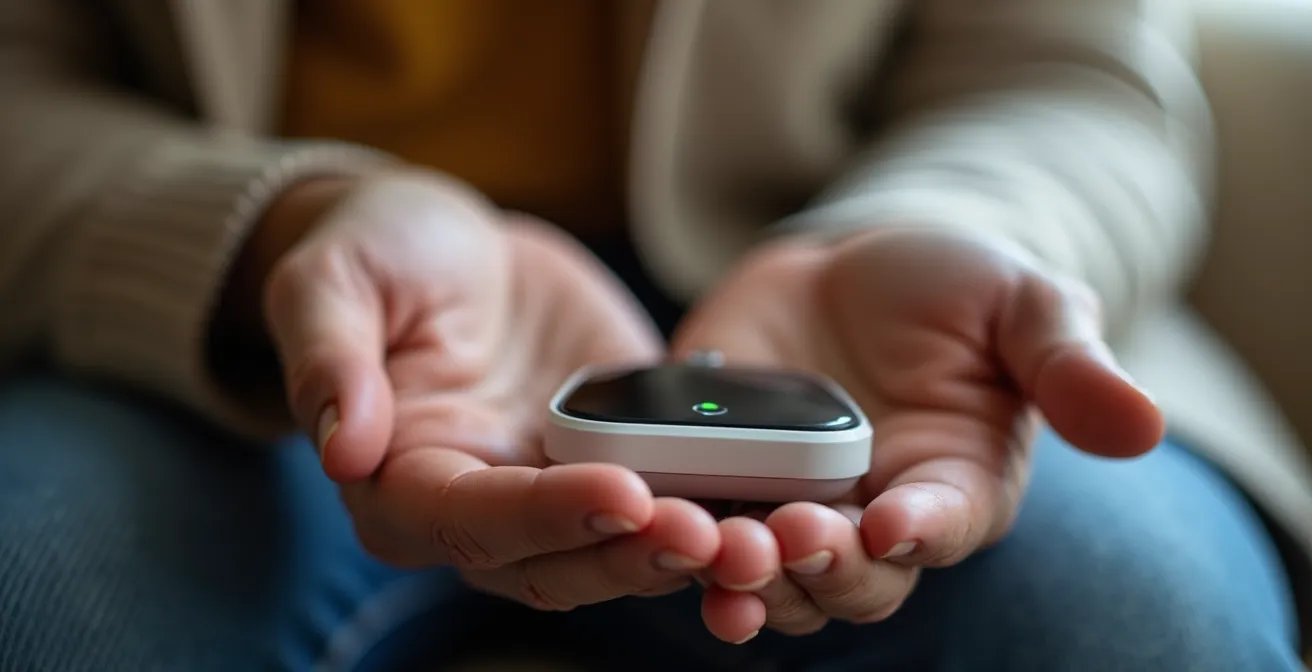
Modern systems are engineered to minimize this anxiety footprint. Advanced algorithms can better distinguish between a genuine fall and a simple movement, with some top-tier devices like the MGMini Lite detecting 80% of falls with zero false alarms during rigorous testing. Furthermore, leading providers understand that accidents happen and offer policies that don’t penalize users for them. As AARP Family and Caregiving Expert Amy Goyer notes, this is a key feature to look for.
It’s not uncommon for people to push the help button accidentally. Unlimited false alarms are a great feature.
– Amy Goyer, AARP Family and Caregiving Expert
When evaluating systems, ask specifically about their false alarm policy and the technology they use for fall detection. A system that allows you to simply tell the operator “it was an accident” without penalty provides crucial peace of mind and encourages continuous wear.
Shower-Safe Buttons: Why IPX7 Ratings Matter for Bathroom Safety?
For an active senior, a day might start with water aerobics or end with a relaxing bath. The bathroom, however, is a well-known danger zone. With its hard, slippery surfaces, the bathroom is statistically the highest risk place for a fall in the home. An emergency device that must be removed before showering or bathing has a fundamental flaw in its reliability chain. This is where understanding waterproof ratings becomes essential, not just a technical detail.
These ratings, known as Ingress Protection (IP) codes, tell you exactly how resistant a device is to water. For a medical alert button, you should look for nothing less than an IPX7 rating. Here is what the numbers mean for your safety:
- IPX6 Rating: Protects against powerful water jets. This is sufficient for a device to be worn in the rain or shower.
- IPX7 Rating: Allows for submersion in up to 1 meter (about 3.3 feet) of water for 30 minutes. This is the gold standard, ensuring the device will survive being dropped in a bath or worn while swimming.
- IP67 Rating: This offers the same IPX7 water protection but adds a “6” for complete dust-tight protection. This is ideal for gardeners or anyone in dusty environments.
To maintain this protection, it’s vital to check the device’s seals for any buildup of soap scum or mineral deposits and to rinse and dry the device after use. A device with a compromised seal is no longer waterproof, creating a critical vulnerability in your safety net when you need it most.
GPS vs Wi-Fi: Which Locator Works Best in Rural Areas?
For a medical alert system to work “outside the home,” its ability to accurately report your location is paramount. Older systems relied solely on GPS (Global Positioning System), which works well in open areas with a clear view of the sky. However, GPS signals can be weak or non-existent inside buildings, in dense urban canyons, or in some rural “dead zones.” Relying on a single technology creates a weak link in the reliability chain.
The most dependable mobile systems now use a hybrid tracking approach. They build a more robust trust ecosystem by combining multiple technologies:
- GPS: Provides the primary, highly accurate location in open outdoor spaces.
- Wi-Fi Positioning: When indoors, the device can scan for nearby Wi-Fi networks. By referencing a global database of these networks’ locations, it can pinpoint your position with surprising accuracy, even in a multi-story mall.
- Cellular Triangulation: As a final fallback, the system can estimate your location based on its distance from multiple cell towers. While less precise, it ensures a general location can be provided even when GPS and Wi-Fi are unavailable.
Case Study: Hybrid Technology in Action
In independent testing, systems like Bay Alarm Medical’s mobile GPS device demonstrated the power of this hybrid approach. The devices consistently provided accurate location information by automatically switching between GPS, Wi-Fi, and cellular signals. This ensures that even if a user wanders into a rural park with spotty satellite coverage or a large indoor shopping center, their location can still be quickly and reliably determined by emergency responders.
This multi-layered system ensures that no matter where your active lifestyle takes you, help can find you. In fact, leading providers like Medical Guardian have refined this technology to achieve an impressive 52-second average response time for on-the-go devices, a speed enabled by reliable location data.
Rechargeable vs Long-Life Battery: Which Fits a Senior’s Routine?
A dead battery is the Achilles’ heel of any mobile device, and for a medical alert system, it’s a critical failure. The “best” battery type isn’t a one-size-fits-all answer; it’s about matching the technology to the user’s daily habits and cognitive abilities to minimize the “anxiety footprint” of worrying about charge levels. Forgetting to charge the device can completely compromise the safety it’s meant to provide.
There are generally two approaches to battery management in mobile systems:
- Daily/Multi-Day Rechargeable: These devices, often smaller pendants or smartwatches, require regular charging, typically every 1 to 7 days. They are best for tech-savvy individuals or those with a consistent daily routine who can easily incorporate charging the device (like a smartphone) into their nightly habits. Magnetic charging cradles have made this process much easier, eliminating the fumble with tiny USB ports.
- Long-Life Replaceable: Some in-home systems or basic pendants use batteries that last for years. These are excellent for users who might struggle with memory or find the routine of daily charging burdensome. The responsibility shifts to the provider, who monitors the battery status remotely and sends a replacement when it runs low.
The following table compares different systems, illustrating how battery life and charging methods cater to different user profiles.
| System Type | Battery Life | Charging Method | Best For |
|---|---|---|---|
| Medical Guardian MGMini | 5 days | Magnetic cradle | Active seniors, travel |
| Bay Alarm In-Home Button | Up to 2 years | Replaceable battery | Memory-challenged users |
| SmartWatch Systems | 24-48 hours | Daily charging dock | Tech-savvy, routine-oriented |
| Mobile Pendants | 3-7 days | USB charging | Moderate activity levels |
When choosing, be realistic about your or your loved one’s daily routine. A system with a 5-day battery may seem superior, but if the charging cradle is difficult to use, it’s a poor fit. The best system is one that integrates seamlessly and reliably into a specific lifestyle.
The Risk of Limiting Movement Due to Fear of Falling
The most insidious risk of aging isn’t always a fall itself, but the fear of falling. This fear can cause a person to become progressively less active and more isolated. They might stop gardening, give up their daily walk, or decline social invitations, leading to muscle weakness and a loss of balance—ironically increasing the actual risk of a fall. This self-imposed limitation of movement can be more detrimental to overall health and happiness than the physical risk it’s trying to avoid. Yet, research from the University of Michigan shows a startling gap in preparation, with less than 10% of seniors having safety technology.

This is where a reliable medical alert system provides its greatest benefit: confidence. Knowing that help is just a button-press away empowers a senior to continue living an active, engaged life. It transforms the mindset from “what if I fall?” to “I can go because I am protected.” The device becomes a silent partner that enables freedom rather than a constant reminder of fragility.
Case Study: Technology Enabling Active Lifestyles
A comprehensive survey of over 500 seniors confirmed this powerful psychological effect. While the initial motivation for getting a device was often a specific health concern or a recent fall, the outcome was overwhelmingly positive. Users reported a significant increase in their confidence to maintain their independence and continue activities they enjoyed. The device didn’t just provide a safety net; it gave them permission to live their lives more fully.
The goal of a medical alert system isn’t just to respond to emergencies, but to prevent the fear of them from dictating the terms of your life. It’s an investment in continued activity, social connection, and independence.
How to Configure Notifications to Avoid False Alarm Burnout?
For caregivers and family members, a medical alert system provides peace of mind, but it can also become a source of constant, low-grade stress if not configured properly. A barrage of non-critical notifications for a low battery or a momentary loss of signal can lead to “alarm burnout,” where important alerts get lost in the noise. A well-designed system allows for granular control over notifications, turning it from a noisy alarm into a smart communication tool.
The key is to create a tiered alert strategy. This means not every event triggers a five-alarm fire drill for the entire family. A modern caregiver app should allow you to customize who gets notified and how, based on the severity of the event. For example, a low battery warning might just be a text message to the primary caregiver, while a geofencing alert (notifying you if a loved one wanders from a safe zone) might go to a wider group. A true emergency button press, of course, should trigger an immediate phone call to all designated contacts after the professional monitoring center has been engaged.
As Dr. Warren Wong, a Geriatrician in Honolulu, advises, this is a process of active management. He urges families to “monitor any false alarms your loved one is experiencing and consider changes that can be made to prevent them.” This proactive approach is vital to keeping the system effective and reducing stress for everyone involved.
Action Plan: Smart Notification Setup
- Establish Tiered Alerts: Configure the system to use different methods (text, app notification, phone call) for different event severities, such as low battery vs. an emergency call.
- Define Contact Roles: Assign primary and secondary contacts. Not everyone needs to be notified for every non-urgent event, preventing unnecessary group panic.
- Utilize Geofencing Wisely: Set up “safe zones” like the home or a community center to receive passive notifications when a loved one arrives or leaves, providing reassurance without active tracking.
- Adjust Sensitivity Settings: If false fall alarms are frequent, review the device’s sensitivity settings. Work with the provider to find a balance between safety and accuracy.
- Schedule Regular System Tests: Follow the manufacturer’s recommendation to test the button weekly or monthly. This ensures the system works and familiarizes the user with the process, reducing panic during a real event.
Key Takeaways
- Shift your focus from a simple feature checklist to evaluating the overall reliability and ‘trust ecosystem’ of a system.
- A system’s value is measured by how well it integrates into a daily routine without adding new anxieties like battery worries or false alarm fears.
- True mobility requires a hybrid location system (GPS + Wi-Fi) and a waterproof rating of at least IPX7 to cover all environments.
How to Use Wearables to Detect Heart Arrhythmias Early?
The evolution of medical alert systems is moving beyond reactive safety (responding to a fall) and into the realm of proactive health monitoring. Modern wearables, particularly smartwatch-style devices, are integrating health-tracking features that can provide early warnings for serious medical conditions, building an even more comprehensive trust ecosystem. One of the most significant advancements is the ability to monitor for heart arrhythmias like Atrial Fibrillation (AFib).
AFib is an irregular and often rapid heart rate that can lead to blood clots, stroke, heart failure, and other major complications. It can be asymptomatic in its early stages, making it difficult to detect during routine doctor’s visits. A wearable device that continuously monitors heart rate can spot patterns indicative of an arrhythmia and alert the user and their caregivers, prompting a crucial conversation with a healthcare provider.
Case Study: The Smartwatch as a Health Partner
The Medical Guardian MGMove smartwatch is a prime example of this trend. While it functions as a full-featured medical alert system with GPS and a help button, it also incorporates a suite of health tools. It tracks heart rate, monitors activity levels via a step counter, and can even provide medication reminders. This data can be shared with caregivers and healthcare providers through an app, creating a more complete picture of the user’s health and enabling early intervention.
This proactive approach represents a significant paradigm shift. The device is no longer just a lifeline for emergencies; it’s a daily partner in managing and maintaining good health. By providing data on heart rate, sleep quality, and activity levels, these systems empower seniors and their families to spot negative trends early and take action before a crisis occurs, strengthening the reliability chain in a whole new way.
Frequently Asked Questions about How to Choose a Medical Alert System That Works Outside the Home?
Can consumer smartwatches replace medical alert systems?
While Apple Watch and similar devices offer fall detection and heart monitoring, medical alert systems provide 24/7 professional monitoring and trained emergency response that consumer devices lack.
How accurate is wearable arrhythmia detection?
Medical-grade smartwatches can detect atrial fibrillation with high accuracy, but should be used alongside professional medical care rather than as standalone diagnostic tools.
What health metrics can modern medical wearables track?
Advanced systems monitor heart rate, blood oxygen, sleep quality, activity levels, and gait stability, providing comprehensive health profiles for seniors and caregivers.