The solution to prevent senior hypothermia isn’t a smart thermostat; it’s a fully autonomous home ecosystem that requires zero human input for critical safety.
- Reactive alerts and app-based controls fail when memory falters or the internet goes down. A true safety system must operate locally.
- The goal is “human-out-of-the-loop” automation, where devices like sensors and hubs manage temperature proactively, not reactively.
Recommendation: Prioritize a reliable, hub-based system (using Zigbee or Z-Wave) over simpler Wi-Fi-only devices to build a truly fail-safe environment.
Forgetting to adjust the thermostat can seem like a minor oversight, but for a senior, it can lead to a dangerous drop in body temperature, or hypothermia. The common advice is to install a smart thermostat. You set a schedule, create some alerts, and control it from an app. Problem solved, right? Not quite. This approach has a critical flaw: it still relies on human intervention and a stable internet connection. What happens if the Wi-Fi fails? What if the senior finds the app too complex or simply forgets to check the alerts?
These simple solutions often create a false sense of security. They are accessories, not systems. The real key to preventing temperature-related emergencies isn’t about adding another gadget; it’s about fundamentally rethinking the home environment. The goal must be to build a resilient, autonomous ecosystem where safety is the default setting, operating independently of internet access or a person’s memory. This involves designing a “human-out-of-the-loop” system where critical functions, like maintaining a safe temperature, are fully automated.
This article moves beyond basic devices. We will explore how to construct this fail-safe system, from the foundational hardware that works offline to the intelligent monitoring that preserves dignity. We’ll cover how motion sensors, smart locks, and video doorbells are not just conveniences, but integral parts of a cohesive safety net. You’ll learn why the choice of a central hub is the most important decision you’ll make and how to balance cost with the uncompromising need for reliability. It’s time to shift from reactive alerts to proactive, automated protection.
To guide you through this process, this article breaks down the essential components and strategic decisions for building a truly smart and safe home. The following sections will provide practical, expert advice on creating an environment that protects, rather than just alerts.
Summary: Building a Resilient Smart Home for Senior Safety
- How to Program Motion Sensors to Light the Path to the Bathroom?
- Smart Locks: How to Let Caregivers In Without Sharing Keys?
- The Risk of Incompatible Systems: Buying the Wrong Hub
- Video Doorbells: Why Knowing Who Is Knocking Reduces Anxiety?
- Tablet vs Voice: Which Controller Is Easier for Arthritic Hands?
- How to Install Motion-Sensor Night Lights to Prevent Bathroom Falls?
- Smart Plugs vs Full Hubs: Which Setup Is More Cost-Effective?
- How to Monitor a Senior’s Safety Without Being Intrusive?
How to Program Motion Sensors to Light the Path to the Bathroom?
The first step in building an autonomous home ecosystem is mastering automated lighting. Nighttime trips to the bathroom are a major source of falls, and poor lighting is a primary culprit. A single motion sensor in a hallway is a start, but a true safety system thinks in terms of pathways. The goal is to create a seamless, hands-free “runway” of light that guides a senior from their bed to the bathroom and back, without harsh glare that can impair night vision.
This involves more than just one device. A robust setup uses a series of coordinated sensors. A bed occupancy sensor can trigger dim, low-level lights the moment a senior gets up. Motion sensors placed at six-foot intervals in the hallway then take over, ensuring no dark spots. A final sensor at the bathroom door can then activate a brighter, task-oriented light inside, but only upon entry. This layering prevents the shock of a sudden bright light while still providing safety where it’s needed most.
The technology behind this is not just about convenience; it’s about proactive fall prevention. This same principle of using ambient sensors to prevent accidents is the foundation of more advanced safety systems. By creating an environment that automatically adapts to a person’s needs, you reduce risk before an incident can even occur. This automated lighting pathway is a perfect microcosm of the “human-out-of-the-loop” philosophy: safety that just works, with no buttons to press or switches to find in the dark.
Smart Locks: How to Let Caregivers In Without Sharing Keys?
An autonomous safety ecosystem must also control access. Physical keys pose significant risks: they can be lost, copied, or difficult to manage, especially when multiple caregivers, family members, or emergency services need access. Smart locks eliminate these problems by replacing physical keys with secure, manageable digital credentials. This isn’t just about convenience; it’s a fundamental upgrade to the home’s security and emergency response capability.
With a smart lock, you can grant temporary or recurring access codes to specific people. A caregiver’s code can be set to work only during their scheduled hours, a family member can have permanent access, and a one-time code can be generated for a maintenance worker. This creates a detailed log of who enters and when, providing peace of mind and eliminating the anxiety of unaccounted-for keys. For seniors with arthritis or limited dexterity, fumbling with a key can be a daily struggle; a smart lock with a keypad or fingerprint sensor removes that barrier entirely.
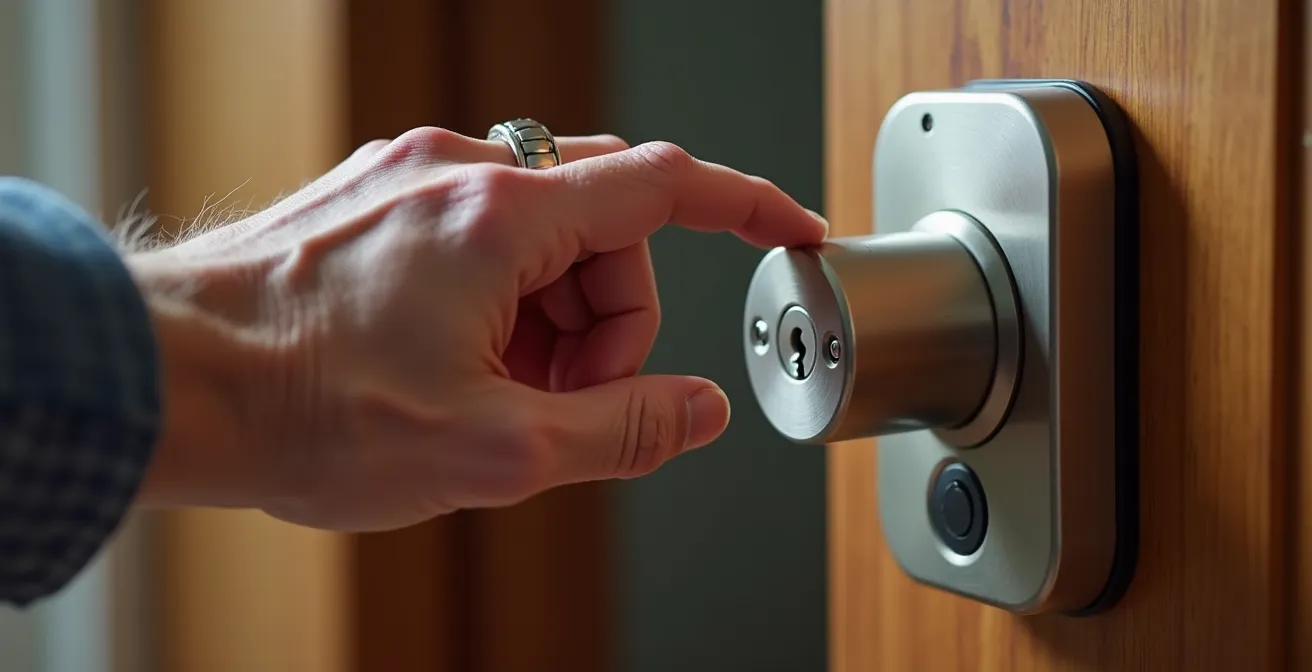
The true power of smart locks is revealed when they are integrated into the broader home automation system. In an emergency, the system can be programmed to unlock the door automatically for first responders, saving precious seconds. This integration is a key part of designing a fail-safe environment.
Case Study: Integrated Smart Locks for Emergency Response
Research on smart home systems for aging in place highlights how integrated smart locks can revolutionize emergency protocols. In test environments, when a fall detection pendant was activated, the system was programmed to not only alert caregivers but also simultaneously unlock the front door and turn on all the lights in the house. As noted in a study on smart home systems for aging in place, this integration significantly reduced emergency response times and improved caregiver peace of mind by providing a clear, well-lit path for responders.
The Risk of Incompatible Systems: Buying the Wrong Hub
The single most critical mistake in building a home automation system for safety is choosing the wrong “brain.” You can buy the best sensors and locks, but if they can’t communicate reliably, the system is useless. This is where the home automation hub comes in. A hub acts as the central coordinator for all your devices. However, not all hubs are created equal, and the biggest risk is creating a patchwork of incompatible devices or relying on a system that depends entirely on Wi-Fi.
For a safety-critical application like hypothermia prevention, internet dependency is a liability. If your Wi-Fi goes down, a Wi-Fi-only system of smart plugs and sensors stops working. Your automations fail, and your safety net vanishes. The solution is a hub that uses dedicated, low-power communication protocols like Z-Wave or Zigbee. These create their own robust, local “mesh network” inside the home. This network is independent of your Wi-Fi and will continue to run all your critical automations—like turning on a heater if a room gets too cold—even if the internet is out for hours or days. A new protocol, Matter, aims to unify these systems, but a dedicated Z-Wave or Zigbee hub remains the gold standard for reliability today.
The following table breaks down the key differences between these protocols to help you choose the right foundation for your autonomous ecosystem.
| Protocol | Range | Device Limit | Power Usage | Works Offline | Best For Seniors |
|---|---|---|---|---|---|
| Zigbee | 10-100m | Unlimited hops | Very Low | Yes | Budget-friendly, wide device selection |
| Z-Wave | Up to 100m indoor | 232 devices | Very Low | Yes | Guaranteed compatibility, secure |
| Matter | Varies by transport | Depends on network | Varies | Thread: Yes | Future-proof, cross-platform |
| Wi-Fi Only | Full home | Router dependent | High | No | Simple setup, but less reliable |
Matter bridges allow devices using other protocols to work alongside Matter devices by translating between them, providing a seamless user experience across existing non-Matter and Matter devices.
– Silicon Labs, Matter vs Z-Wave Technical Comparison
Video Doorbells: Why Knowing Who Is Knocking Reduces Anxiety?
A smart home safety system is about more than physical protection; it’s also about psychological well-being. The anxiety of an unexpected knock at the door can be significant for seniors, particularly those with mobility issues. Rushing to answer can increase the risk of an accident, a serious concern when you consider that every 19 minutes an elderly person dies from injuries sustained in a fall. A video doorbell removes this anxiety and risk by allowing a senior to see and speak to whoever is at the door without getting up.
This simple device becomes a powerful tool for peace of mind. It allows a senior to screen visitors, confirm deliveries, and ignore unsolicited callers, all from the safety of their chair. The video feed can be displayed on a smartphone, a dedicated smart display, or even a television, making it accessible regardless of technical comfort level. For caregivers, it offers another layer of oversight, allowing them to remotely check on visitors and ensure their loved one isn’t being targeted by scams.
By integrating a video doorbell, you are designing a calmer, more controlled environment. It transforms an event that could cause stress and physical risk into a simple, manageable interaction. This reduction in anxiety is a key, often overlooked, benefit of a well-designed smart home. It empowers the senior, giving them more control over their environment and reducing the feeling of vulnerability that can come with living alone.
Tablet vs Voice: Which Controller Is Easier for Arthritic Hands?
A common debate in smart home design for seniors revolves around the best user interface: is a touchscreen tablet better than a voice assistant? For someone with arthritis, tapping a small icon on a tablet can be painful, making voice commands seem like the obvious winner. Conversely, a strong accent or soft speech can frustrate voice assistants, making a clear, visual tablet interface preferable. But this entire debate misses the most important point.
For critical safety systems, the primary interface should be no interface at all. The system must be designed to be fully autonomous. A senior should never be *required* to use a tablet or speak a command to stay warm and safe. Temperature regulation should be handled automatically by a smart thermostat connected to remote sensors and a reliable hub. The heater should turn on because a sensor in the bedroom detected the temperature dropped to 66°F, not because the senior remembered to tell Alexa to “turn up the heat.”
Tablets and voice assistants are excellent secondary controllers. They are for convenience and non-critical requests: “What’s the weather like?” or “Play some music.” They should be viewed as backups or accessories to the core autonomous system, not its primary method of control. Relying on them for safety reintroduces the very problem we are trying to solve: the “human-in-the-loop.”
For critical safety systems like temperature, the primary goal should be full automation where the senior needs to do nothing – tablets and voice should be convenient backups or for secondary requests, not the primary method of control.
– Tech-enhanced Life Research Team, Smart Thermostat Solutions for Seniors with Dementia or Poor Vision
How to Install Motion-Sensor Night Lights to Prevent Bathroom Falls?
While the concept of automated lighting is simple, effective implementation requires a strategic approach that goes far beyond plugging in a single night light. A poorly placed light can create long, disorienting shadows, or its harsh blue-toned glare can disrupt sleep patterns and ruin night vision. The goal is to create a gentle, effective pathway of light that enhances safety without being intrusive. This requires careful planning of both placement and the quality of the light itself.
The key is to think like a lighting designer. You must illuminate the path, not the person. This means placing lights low to the ground, at floor level, to light up obstacles and define the walkway. Using multiple, lower-brightness lights is far more effective than one or two bright ones. Furthermore, the light quality is critical. You should choose LEDs with a warm white color temperature (around 2700K) and a high Color Rendering Index (CRI of 90+). This combination preserves night vision while ensuring that colors are rendered accurately, which helps the brain correctly identify objects and avoid missteps.
Finally, the system must be reliable. Battery-powered lights are a point of failure. A proper system uses plug-in models or, even better, low-voltage LED strips connected to a central power source with a battery backup. This ensures the lights will work even during a power outage, the time when they are often needed most. Following a detailed plan is the best way to ensure all these factors are covered.
Your Action Plan: Strategic Night Light Installation Guide
- Map the Path: Trace the complete route from the side of the bed to the bathroom toilet, identifying every turn, step, and potential obstacle.
- Install Low and Often: Place plug-in motion-activated lights at floor level every 6 feet along the mapped path. Avoid battery-powered models which can fail unexpectedly.
- Choose Quality Light: Select high-CRI (90+) LEDs with a warm white (2700K) color temperature to preserve night vision and ensure accurate color perception.
- Position for Illumination, Not Glare: Angle the lights to illuminate the floor from the side of the path. This prevents creating long, confusing shadows directly in front of the person walking.
- Add Under-Bed Lighting: Install a pressure-sensitive LED strip under the bed frame that activates at a very dim (10%) brightness the moment feet touch the floor, initiating the light pathway.
- Ensure Power Reliability: Connect all essential lights to a smart hub or power source that includes a battery backup to guarantee operation during a power outage.
Smart Plugs vs Full Hubs: Which Setup Is More Cost-Effective?
When considering cost, it’s tempting to opt for the cheapest solution. A Wi-Fi smart plug connected to a space heater seems like an easy, affordable way to add automated temperature control. It’s a “Good” start, but it’s a fragile one. This setup relies on your internet connection and an app, introducing multiple points of failure. The real measure of cost-effectiveness isn’t the initial purchase price; it’s the total cost of ownership, including the potential cost of a single failure.
What is the cost of a system that fails on the coldest night of the year because the internet went down? A slightly more expensive but infinitely more reliable system built around a local control hub (Z-Wave or Zigbee) is fundamentally more cost-effective. A “Better” solution might be a smart thermostat with remote sensors, which can operate without internet for basic scheduling. But the “Best” solution is a full hub-based system. This setup is fully autonomous and continues to run complex automations (e.g., “If the bedroom sensor drops below 65°F AND the bed sensor shows it’s occupied, turn on the space heater via its smart plug”) regardless of internet status.
This tiered approach allows you to match the solution to the level of risk. For a high-risk senior, investing in the “Best” tier isn’t an expense; it’s insurance against a catastrophic failure. The upfront cost is higher, but it buys reliability and peace of mind, which are priceless.
This table outlines the trade-offs between different levels of investment in a smart home system designed for hypothermia prevention.
| Tier | Setup | Initial Cost | Annual Operation | Reliability | Best For |
|---|---|---|---|---|---|
| Good | Wi-Fi smart plug + space heater + phone alerts | $50-100 | $0-50 | Moderate (needs internet) | Budget-conscious, tech-savvy caregivers |
| Better | Smart thermostat + remote sensors + app control | $200-400 | $0 | Good (works without internet) | Single-zone homes, moderate budget |
| Best | Local hub + redundant sensors + fail-safe automation | $400-800 | $0 | Excellent (fully autonomous) | High-risk seniors, multi-zone homes |
Key Takeaways
- True safety comes from autonomous systems, not manual controls. The goal is to remove the human from the critical safety loop.
- Local control is non-negotiable. A system that relies on Wi-Fi is a system that can fail. Prioritize hubs using Z-Wave, Zigbee, or Matter-over-Thread.
- An effective smart home is an integrated ecosystem where devices (lights, locks, sensors) work together to create a cohesive safety net.
How to Monitor a Senior’s Safety Without Being Intrusive?
The final piece of the autonomous ecosystem is monitoring. However, the idea of being “monitored” can feel intrusive and erode a senior’s sense of independence. Cameras in living spaces are often a non-starter. The solution is not to watch, but to understand patterns. This is achieved through discreet, “pattern of life” monitoring, which uses a network of passive sensors to establish a baseline of normal daily activity.
This system doesn’t watch people; it observes the home’s rhythm. It uses motion sensors, door contacts on cabinets and refrigerators, and smart plugs monitoring appliance usage (like the coffee maker) to learn what a normal day looks like. When did they wake up? Were they active in the kitchen during lunchtime? Did the medicine cabinet open in the morning? The system only generates an alert when there is a significant deviation from the established pattern—for example, no movement for an unusually long period, or the front door opening in the middle of thenight.
This approach respects privacy while providing powerful safety oversight. It transforms monitoring from a source of potential conflict into a collaborative tool for maintaining independence. A recent systematic review of smart home technology found that success was highest when seniors were involved in co-creating the monitoring rules and setting boundaries. Alerts should also be graduated: a “FYI” log for normal activity, a “Concern” alert for minor deviations (like missing a meal), and a “Critical” alert for immediate dangers like a fall or a dangerously low room temperature. This prevents caregiver fatigue and ensures that when an alert does come through, it’s taken seriously.
Building this fail-safe ecosystem is the most effective way to leverage technology for senior safety. By shifting the focus from individual gadgets to a cohesive, autonomous system, you create an environment that proactively protects your loved one. The next logical step is to begin planning the system that best fits their specific home and needs, starting with the foundation: a reliable, local-control hub.